01 — EXPORT
T
↓
Export your creator list
Use the bookmarklet on your creator page. It downloads a CSV with creator names and TikTok profile links.
 KOLScout
Get lifetime access
KOLScout
Get lifetime access
Find business emails in TikTok creator bios and save them right into your CSV. Your list stays yours—no spreadsheet setup, no busywork.
A clean, focused workspace for choosing a creator CSV, selecting rows, and saving profile results as you work.
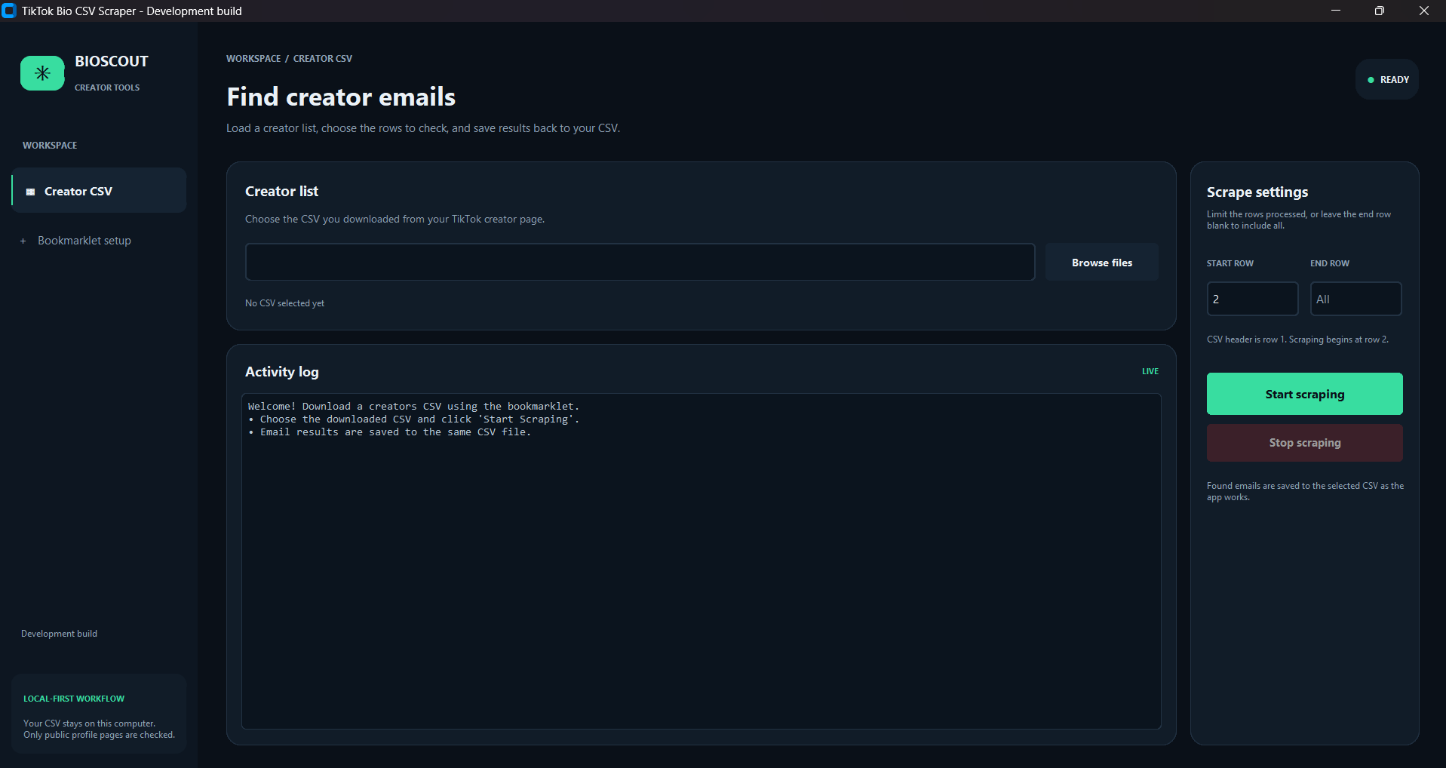
An AI-generated illustration of the workflow—not footage of the released app.
No complicated integrations. Export your creators, run the desktop app, and keep working with the same file.
Use the bookmarklet on your creator page. It downloads a CSV with creator names and TikTok profile links.
The app checks profiles in your CSV and looks for contact emails shared in their public profile information.
Found emails are written to an “Email Scraping” column in the same CSV, row by row as the app works.
KOLScout works with a CSV on your computer, or optionally connects to a Google Sheet you choose. CSV mode never requires Google sign-in.
Your selected CSV and results stay on your computer. An internet connection is still needed to verify your license and request public TikTok profiles. Keep a backup of important lists.
Rp300.000 one-time payment
Lifetime access to KOLScout, including future updates. Your license key is bound to one device. Email us for purchase instructions and include your computer platform.
Choose your platform. You’ll need your purchased key to activate and use the scraper.
Available for Windows and macOS desktop computers. Internet access is required for license verification and TikTok profile requests. Windows ZIP includes the app executable; macOS ZIP includes the app bundle. Exact minimum OS versions depend on the current release—contact support if you’re unsure about compatibility.
Need help installing or activating? Email support.
A little more about what KOLScout does—and what it doesn’t.
Google Sheets mode is optional. Connect Google, paste a spreadsheet URL, and KOLScout reads and writes the worksheet you select. You can also use CSV mode without signing in to Google.
The app labels a checked profile with “-” when it doesn’t find an email. Profiles that require a TikTok login or fail to load receive separate labels.
Your purchased key is verified online and bound to one device when first activated. The app saves it in Windows Credential Manager or macOS Keychain, then checks it with Supabase again each time it starts. If the saved key cannot be accessed, you can enter it again. A network connection is required for verification.
The one-time Rp300.000 purchase includes lifetime access to KOLScout and future updates. Each key is for one device. Contact support if you need help with a device change.
A Windows or macOS desktop computer, a creator CSV, and an internet connection for license verification and TikTok profile requests. Exact minimum OS versions depend on the current release; email support if you’re unsure about your computer.
The bookmarklet is a browser shortcut and can be copied. The desktop app still requires a valid, device-bound license key to run its scraper.
No email finder can guarantee every address. KOLScout can only report what it can access and recognize from the profile data available at the time.